

There are two kinds of people who search "how to hide desk cables." The first type has a tangle of cords hanging off the back of their desk and a power strip sitting on the floor collecting dust bunnies. They want the mess gone, and they want it gone today. The second type has cables running down the wall to a distant outlet and genuinely cannot rearrange the furniture. Both problems are real. But they need completely different solutions, and picking the wrong one wastes your weekend and leaves sticky residue on your walls. (The piece of gear that finally fixed it: the Cinati cable tray. More on that below.)
I am squarely in the first camp. My home office desk is a solid wood farmhouse table I inherited when I retired, and drilling anything into it is not happening. For months I had a power strip sitting in plain sight on the floor, a laptop charger draped over the desk edge, and monitor cables looping down and back up like spaghetti. It bothered me every single morning. Then I tried the Cinati under-desk cable tray, and I want to tell you exactly how it compares to the raceway kit route, because the internet makes raceway kits sound like the obvious answer when they absolutely are not for most home office setups.
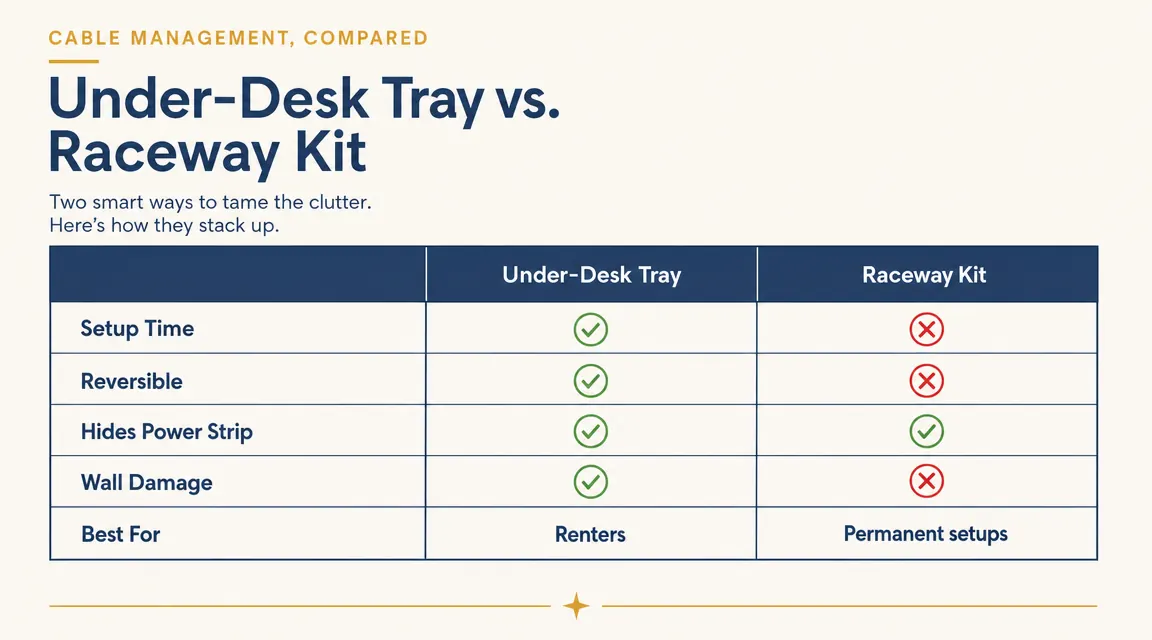
| Feature | Cinati Cable Tray (Left) | J Channel Raceway Kit (Right) |
|---|---|---|
| Setup time | 10-15 minutes, no tools needed | 45-90 minutes, measuring, cutting, sticking |
| Installation method | Clamp mounts to desk edge, fully reversible | Adhesive strips bond to walls, hard to remove cleanly |
| Hides power strip | Yes, entire power strip fits inside tray | No, raceways route cables only, not bulky strips |
| Suitable for renters | Yes, zero permanent modification | Often not, adhesive damages paint |
| Cable capacity | Holds up to 6-8 cables plus a power strip | Holds 3-5 cables per channel depending on size |
| Aesthetics at desk level | Clean, nothing visible from chair | Cables visible along baseboard or wall seam |
| Price range | Budget-friendly | Budget-friendly to mid-range depending on length and quantity |
| Best for | Desk clutter, power strips, cord bundling under a desk | Long cable runs across walls or around room perimeter |
Where the Cinati Cable Tray Wins
The biggest advantage of an under-desk tray is that it solves the actual problem most home office workers have: a power strip and five to eight cables congregating in the space between the back of the desk and the wall. A raceway kit cannot hold a power strip. It runs individual cables along a surface. If your problem is a chunky surge protector sitting on the floor, a wall raceway does nothing for you. The Cinati tray clamps to the underside of your desk edge and the power strip drops right in. It fits my six-outlet strip with room left for four cable bundles.
The second win is reversibility. The Cinati uses a clamp mechanism that grips the desk edge without any adhesive, screws, or drilling. I installed it in about twelve minutes, including the time I spent rearranging which cables went in first. If I move apartments, or move my desk to a different room, the tray comes off in thirty seconds and leaves zero trace. Raceway kits use adhesive backing. Some peel off reasonably cleanly on smooth painted drywall. Others take paint with them, which is a problem in rentals and in older homes with original plaster walls. I was not willing to gamble on that.
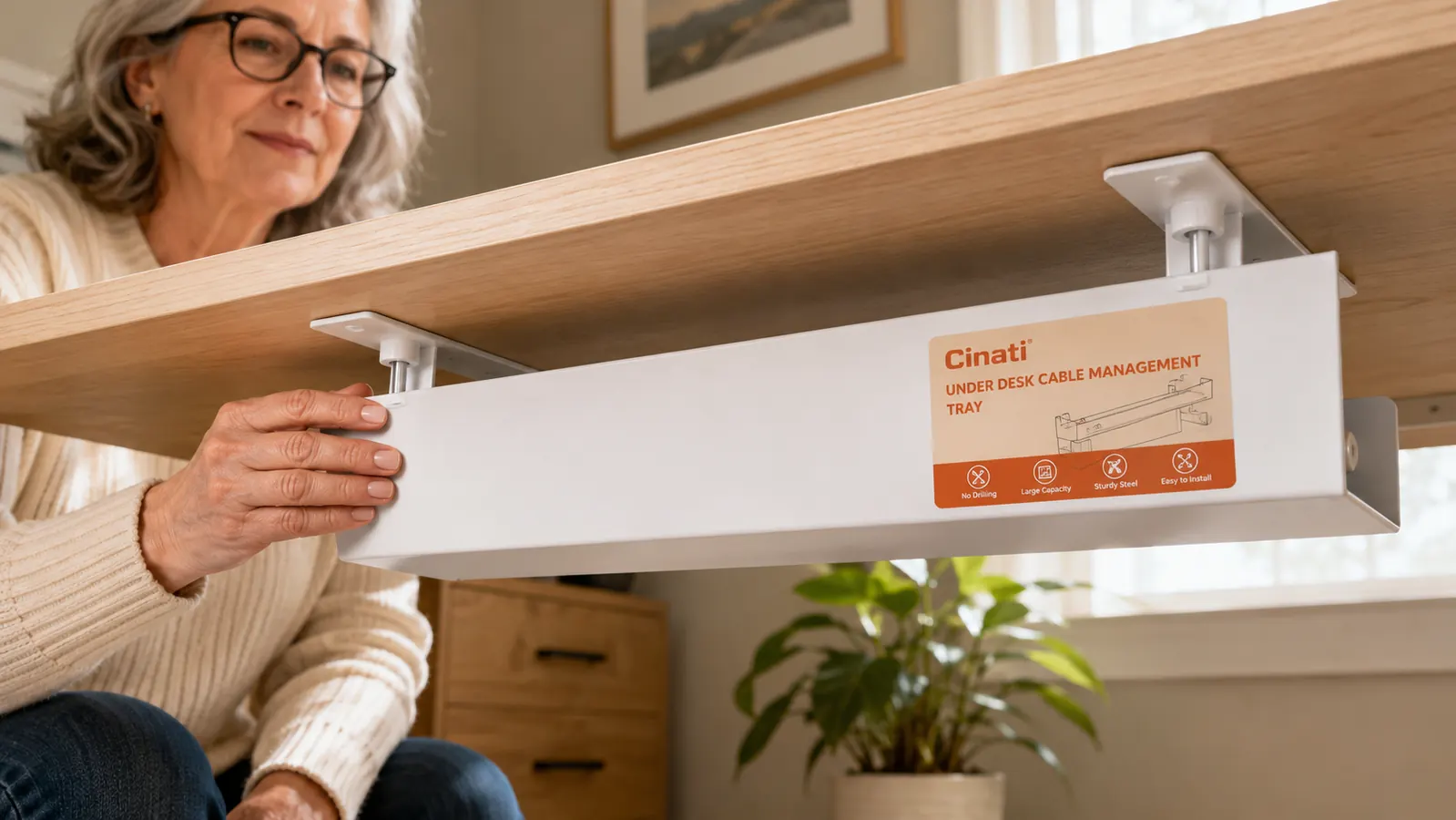
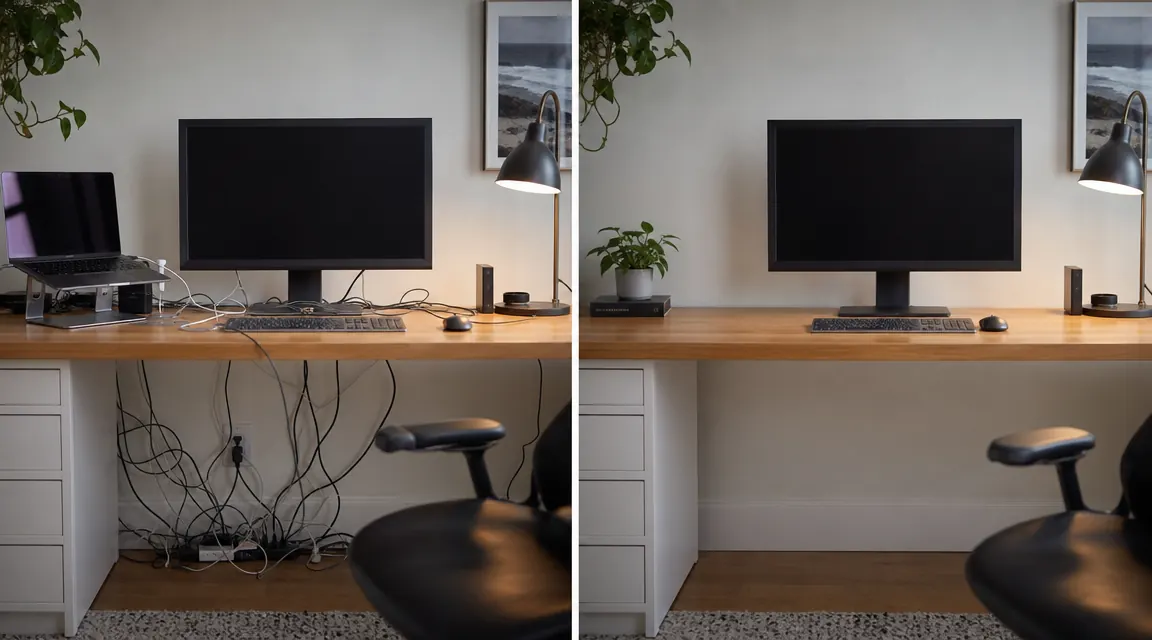
The third win is the visual result at eye level. When I sit at my desk, I see nothing below the surface. The cables disappear into the tray, which sits flush with the underside of the desk and blends in when the desk is a light color. The white finish on the Cinati matches my desk well enough that guests have not noticed it at all. With a raceway kit, you still see a channel running along the baseboard or up the wall. It is neater than bare cables, but it is not invisible.
Your power strip is on the floor right now. Fix that in fifteen minutes.
The Cinati under-desk cable tray clamps on without drilling. Holds a full power strip plus up to eight cables, hidden completely out of sight. Rated 4.7 stars from over 4,000 buyers.
Amazon Check Today's Price on Amazon →Where the Raceway Kit Wins
Raceway kits earn their place in one specific situation: when cables need to travel a significant distance from the desk to the outlet along a wall. If your desk is positioned in the middle of a room, or your nearest outlet is eight feet away behind a piece of furniture, a J channel raceway running along the baseboard gives those cables a clean path. It keeps them off the floor, reduces trip hazards, and looks deliberately finished rather than improvised. This is a legitimate use case, especially in older homes where outlets are placed inconveniently.
The raceway kit also works better when the aesthetic goal is "cables completely invisible from every angle in the room" rather than just "cables invisible from the desk." A tray hides cables from above and from the chair. But if someone walks through your office and looks at the wall behind the desk, they may still see cables running down from the tray to the outlet. A raceway channels that last section along the baseboard, making the run truly concealed. For a home office that doubles as a client-facing studio or a video call background you care about, that last detail matters.
Who Should Buy Which
Buy the Cinati under-desk tray if your desk is within about three feet of an outlet, you have a power strip you want off the floor, and you rent or simply do not want to put adhesive on your walls. This describes the majority of home office setups I have seen. You will be done in under twenty minutes and the result will look intentional and clean.
Consider a raceway kit if your cables genuinely have to travel along a wall to reach a distant outlet, you own your home, and you are comfortable with a longer installation that involves careful measuring and cutting. Know going in that the result is not truly invisible, just tidier. And know that removing raceway adhesive can damage paint, especially on flat or eggshell finishes.
A raceway kit tidies up wall runs. But if your problem is a power strip on the floor and eight cables hanging off the back of your desk, a clamp-on tray solves that in fifteen minutes and a raceway never will.
The honest answer for most people is that the under-desk tray fixes the specific frustration that drove them to search in the first place. The raceway kit solves a related but different problem. If you are not sure which category you fall into, look at where your cables actually are right now. If they are under or behind the desk, you want the tray. If they are running across the floor or up the wall, you may want both, starting with the tray and adding a raceway section where needed.
My Setup After Using Both
I ended up using the Cinati tray and nothing else. My desk sits about two feet from the outlet, so the power strip cable runs straight from the tray to the wall without any exposed length worth routing. The tray holds my six-outlet strip, my monitor's power cable, my laptop charger, a USB hub cable, and the cable for my wireless charger pad. Before the tray, all of that was a hanging mess. Now the underside of my desk looks like it was built with storage in mind.
I tested a J channel raceway kit on a second desk setup at a friend's place. Her desk is in the corner of a converted bedroom, about seven feet from the nearest outlet. The raceway handled that long wall run well, and it does look clean when installed carefully. But she still has a power strip problem at the desk itself, which the raceway did not address. She ended up adding a small cable tray at the desk afterward. If I were setting up her office from scratch, I would start with the tray and only add the raceway for the long wall section.
A Note on the Cinati's One Limitation
The tray's clamp needs a desk edge it can grip. It works well on tabletops with a standard straight edge and a thickness between about 3/4 inch and 1.5 inches. Very thick solid wood tables (mine is right at the limit), glass desks, or desks with deeply curved edges may not clamp securely. Check your desk edge before ordering. The clamp is the only potential failure point, and it is worth verifying it before you fill the tray with cables and a heavy power strip.
The tray opening is also sized for standard cables and a typical 6-outlet power strip. If you have an unusually large surge protector with a wide body, measure it first. Most standard power strips fit comfortably, but heavy-duty workshop strips with extra-wide outlets may not seat cleanly. For a typical home office setup, including monitor cables, laptop chargers, and a standard surge protector, the Cinati has plenty of room.
The Verdict
For the majority of home office workers, the Cinati under-desk cable tray is the right answer. It is faster to install, causes no damage, handles power strips directly, and produces a result that looks genuinely tidy from the chair. Affordably priced, it costs less than most raceway kits and solves the problem in a fraction of the time. The raceway earns its role in specific situations involving long wall runs, but it is not the first tool to reach for when the cables are all living under and behind your desk.
I have recommended the Cinati to three people since I installed mine six weeks ago. All three sent me photos afterward. In every case the reaction was some version of "why did I wait so long." That is the mark of the right solution for the right problem. For a deeper look at the Cinati's clamp strength, weight capacity, and how it held up over time, see the full review linked below.
Done deciding. The cable tray wins for most home offices.
No drilling, no adhesive damage, no wall measuring. The Cinati clamps on and hides your entire power strip plus up to eight cables. Over 4,000 buyers gave it 4.7 stars. Install takes about 15 minutes.
Amazon Check Today's Price on Amazon →