
My lower back hurt for three years, and I blamed everything except the obvious culprit: I sat in the same position for six, seven, eight hours a day. When I finally got a standing desk, I thought that would be the fix. I stood all morning the first week, felt proud of myself, and ended up with aching arches and tight calves by Thursday. The desk was not the problem. My routine was. (The piece of gear that finally fixed it: the HUANUO standing desk. More on that below.)
A standing desk is a tool, not a cure. The research is pretty clear on this: alternating between sitting and standing reduces lower back discomfort, improves circulation, and helps with the mid-afternoon energy slump. But you have to do it in a structured way, with your desk set at the right heights, with the right support underfoot, and with a timer you actually use. This guide is the routine I wish someone had handed me on day one. The HUANUO 48-inch electric standing desk with built-in drawers is what I use, and I will reference it throughout because the four preset-height buttons are what make it practical to actually switch positions instead of just intending to.
If your back aches by noon, the right desk setup changes the whole day
The HUANUO electric standing desk has four programmable height presets, a 48x24 inch surface, and built-in storage so your tools are within reach whether you are sitting or standing. Rated 4.6 stars by over 1,000 home office workers.
Amazon Check Today's Price on Amazon →Step 1: Program Your Two Heights Before You Do Anything Else
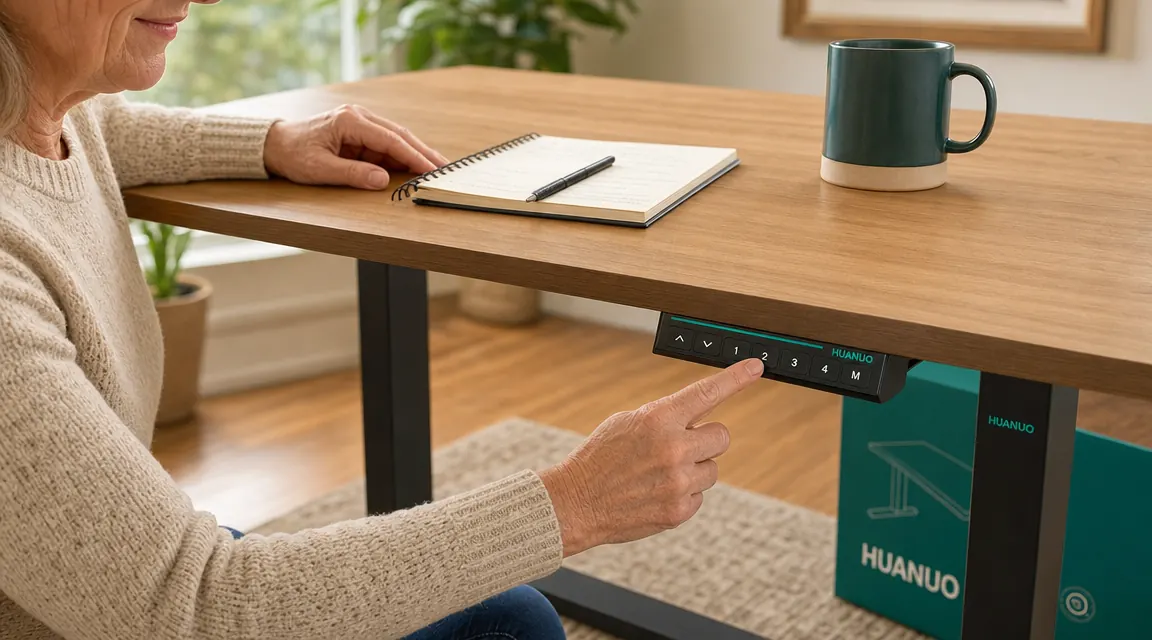
The single biggest reason people stop using their standing desks is friction. If raising and lowering the desk requires manually tapping up or down arrows to find the right height each time, you stop bothering within two weeks. The HUANUO has four preset slots. Use two of them: one for sitting, one for standing. Lock them in on day one and do not touch them again.
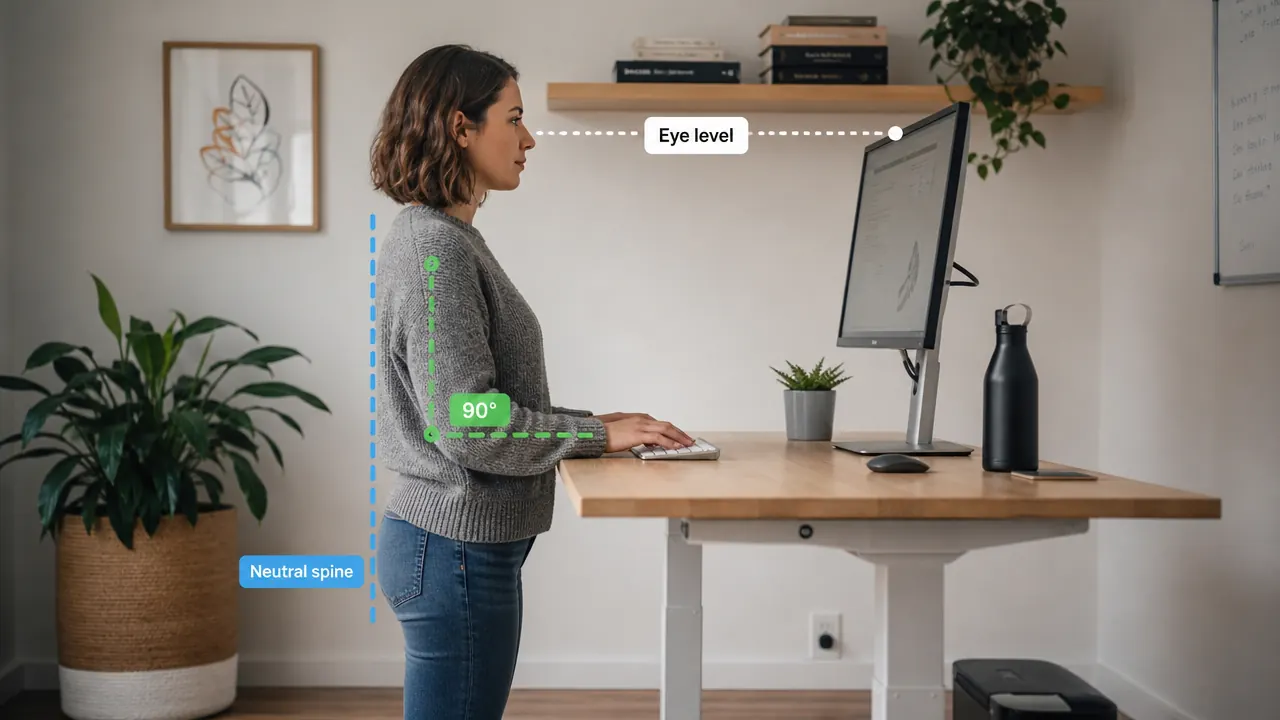
For your sitting height: sit in your chair with both feet flat on the floor. Your elbows should rest lightly on the desk surface with a 90-degree bend. If you are hunching forward or your shoulders are raised, the desk is too high or too low. For most people seated in a standard office chair, this lands somewhere between 27 and 29 inches from the floor. Set that as Preset 1.
For your standing height: stand in front of the desk in whatever shoes you typically wear while working. Let your arms hang relaxed, then bend them to 90 degrees. Your fingertips should just graze the desk surface. For a person around 5 feet 5 inches, this is usually around 40 to 42 inches. For someone closer to 6 feet, it runs 44 to 46 inches. The HUANUO adjusts from about 28 to 47.6 inches, so almost any adult is covered. Set this as Preset 2. Now switching is a single button press.
Step 2: Set Your Monitor Height for Both Positions
This step trips up most people because they set their monitor for sitting and forget it when they stand. When the desk rises, the monitor rises with it, which sounds like it should work. And it does, mostly, if your monitor was already at the right height while sitting. The rule is consistent regardless of whether you are sitting or standing: the top of your monitor should be at or just below eye level. If you crane your neck upward or hunch to look down, you are adding strain that no routine will fix.
If you have a single monitor sitting on the desk surface with no arm, you will likely need a small riser or monitor arm to get it high enough. A monitor arm also lets you tilt the screen slightly downward when you switch to standing, which compensates for the change in viewing angle. If you have a laptop, a separate keyboard and a laptop stand are almost mandatory. Working from a laptop screen at desk level will give you neck pain within a month regardless of how good your sit-stand routine is.
Step 3: Build the 45/15 Rotation Into Your Calendar
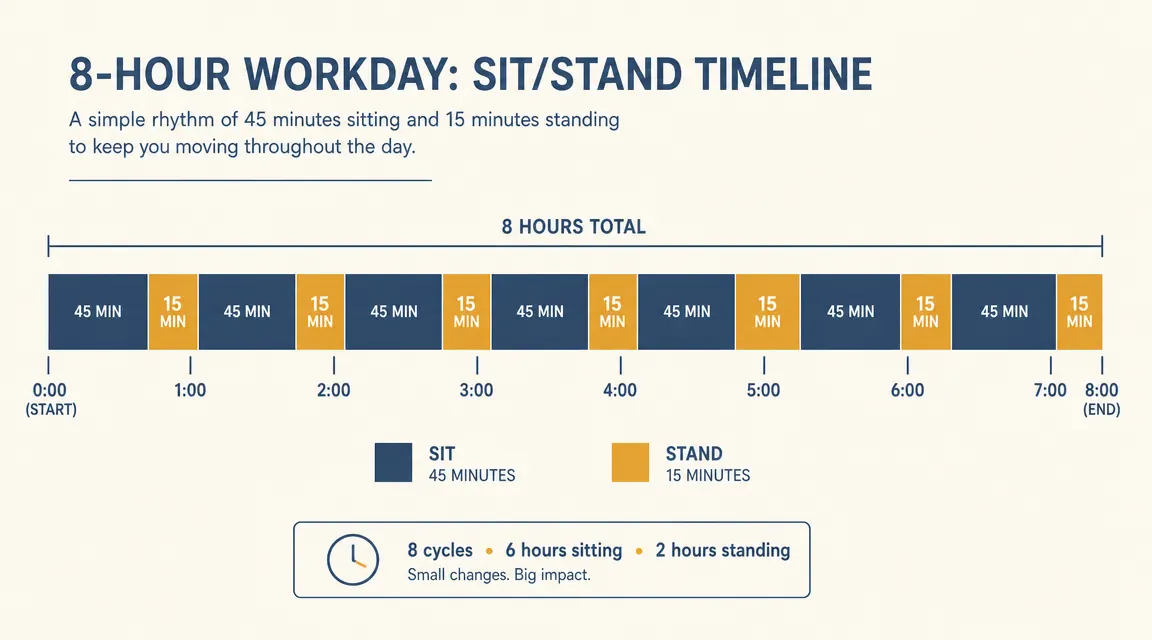
The ratio that most ergonomics research converges on is roughly 45 minutes of sitting followed by 15 minutes of standing, cycling throughout the day. I tried starting with 30/30 splits when I first got my desk and found the standing segments long enough to feel tedious. The 45/15 split is easier to sustain because the standing block is short enough that you barely notice it and long enough to matter. After a few weeks, many people naturally shift toward more even splits because standing starts to feel good rather than like a chore.
The practical way to implement this: set a recurring hourly timer on your phone or computer. When it goes off at the 45-minute mark, press Preset 2. When the next 15 minutes are up, press Preset 1. That is the whole system. What makes the HUANUO useful here is that the transition is genuinely fast, around 30 seconds from sit height to stand height at a moderate motor speed. That speed matters because if the desk takes two minutes to adjust, you will rationalize skipping the change more often than not.
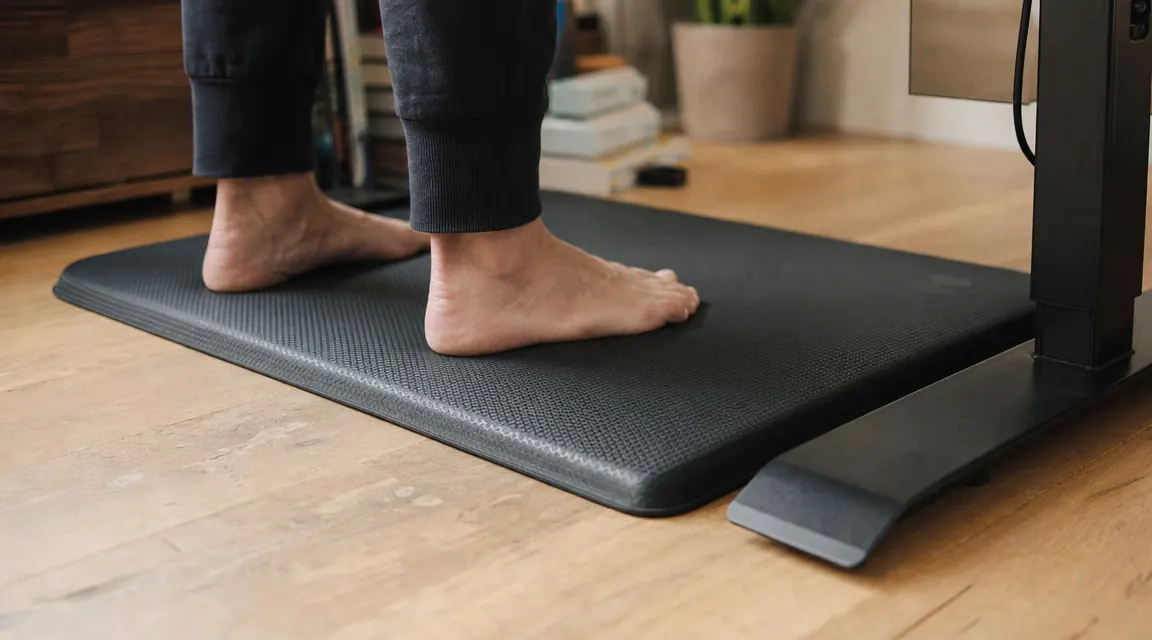
Step 4: Put an Anti-Fatigue Mat Down Before Your First Standing Session
This is the one most people skip and immediately regret. Standing on a hard floor, even for 15 minutes at a stretch, compresses the joints in your feet and transmits that tension upward into your lower back. If you stand without a mat on tile or hardwood, you will likely develop foot and heel discomfort before you develop any improvement in your back, and you will associate the standing desk with pain rather than relief.
An anti-fatigue mat with a slight curve or raised edge gives your feet micro-movement opportunities, which keeps the muscles in your calves and feet lightly engaged without fatiguing them. A good one is moderately priced and lasts for years. Buy it the same day you buy the desk, not as an afterthought three weeks in. Pair of shoes matters too: working in socks on carpet is usually fine. Sandals with no arch support are not.
Step 5: Move During Your Standing Blocks, Even Just a Little
Standing still is better than sitting still, but it is not dramatically better. What makes standing blocks genuinely beneficial for your back and circulation is small, continuous movement. You do not need to pace around the room. Shifting your weight from foot to foot, doing a slow calf raise, turning slightly to reach for something, even just adjusting your stance every few minutes keeps the muscles active and stops blood from pooling in your legs.
Some people keep a fidget board or a small step under their desk for standing sessions. Others use the standing block for tasks that involve a little natural movement, like phone calls, reviewing printed documents, or folding laundry they left on a nearby chair. I use my standing time for reading and annotating articles because I find myself shifting my weight and turning pages, which gives my body just enough gentle movement to make the whole thing feel energizing rather than static.
The standing desk did not fix my back. Learning when to sit and when to stand, and actually switching on schedule, fixed my back. The desk just made switching easy enough that I did not give up.
What Else Helps the Routine Stick
Desks with built-in storage, like the HUANUO with its two slide-out drawers, reduce one of the subtle friction points in a sit-stand routine: things being in the wrong place after you switch positions. When you stand, you want your frequently-used items close and accessible. When the drawers are part of the desk rather than a separate unit on the floor, they move with you. That sounds minor until you are standing and reach for your notebook and it is under the desk where you shoved it while sitting. Small annoyances compound.
Cable management also matters more than people expect. If your monitor cable or laptop power cord is the right length for sitting but pulls taut when the desk rises, you will hear about it the first time you stand. Route cables with enough slack for the full range of motion before you commit to a desk position. The HUANUO's grommet holes and the C-clamp monitor-mount compatibility make this easier, but you still need to plan the slack before the cables are buried under everything.
Finally, give yourself two weeks before judging whether the routine is working. The first few days you may feel muscle fatigue in your legs and back that you did not have before. That is normal. Muscles that have been underused are being asked to do work again. Most people who stick with the routine past the two-week mark report a noticeable reduction in the heavy, locked-up feeling in their lower back by the end of the first month. That has been my experience as well.
If you are still in the research phase and want a side-by-side comparison of the HUANUO against another popular option before deciding, the HUANUO vs FlexiSpot E7 breakdown covers stability, storage, and price differences in detail. And if you already own the desk and want a deeper dive into long-term durability and motor behavior, the six-month long-term review goes into everything I noticed after daily use.
Your back does not have to ache at the end of the workday
The HUANUO 48-inch electric standing desk makes the sit-stand switch frictionless with four programmable height presets and a motor that moves in under 30 seconds. Built-in drawers keep your tools accessible at any height. Check the current price before it changes.
Amazon Check Today's Price on Amazon →