

I want to start with the thing no one in any review I read actually said plainly: this desk wobbles at full standing height. Not violently. Not unusably. But if you are typing quickly with both hands and your monitor is at the top of the height range, you will feel it. You will notice it. And if you are the kind of person who needs your workspace to feel completely solid and still before your brain can settle in, you need to know that before you order.
I set up the HUANUO 48-inch electric standing desk with drawers in the back bedroom I use as my home studio about three months ago. I paint watercolors in the mornings and do freelance design work in the afternoons, so the desk gets used at both sit and stand heights every single day. What I found was more nuanced than any star rating can capture, and I am going to tell you exactly what I found, including the things that pleasantly surprised me and the things that took some adjustment to live with.
The Quick Verdict
A genuinely capable budget standing desk with useful built-in storage, but the wobble at maximum standing height and the plasticky drawer feel are real tradeoffs you should go in knowing about.
Amazon Check Today's Price →Back pain at your current desk? This is the upgrade most people are waiting too long to make.
The HUANUO electric standing desk with drawers is budget-priced and ships with everything you need. If you are on the fence, the current price makes the decision easier than you think.
Amazon Check Today's Price on Amazon →How I Tested This Desk
I am not a tech reviewer. I do not have a wobble measurement jig or a decibel meter. What I have is a 48-inch-deep room with uneven floors, a 27-inch monitor, a drawing tablet, two small speakers, and a very specific sense of when something feels right in a space. I used this desk for three months before writing a single word about it. I adjusted the height multiple times every day. I filled the drawers with my actual stuff. I moved it once when I rearranged the room. That is the testing.
I also specifically tested the things that reviewers tend to skip. I pushed sideways on the surface at four different heights to understand where the wobble lives. I listened to the motor with the room quiet. I tried to assemble it alone, which took longer than advertised. And I paid attention to whether the height memory feature actually held its values after a power interruption, which I got to test the hard way when we had a brief outage in week three. It did hold the presets, for what it is worth.
The desk arrived in a single large box that required two people to bring inside safely. Assembly took me about ninety minutes working alone, and I would estimate sixty-five minutes would be more realistic with two sets of hands. The instructions are illustrated, which helps, but a few of the bolt placements are obscured by the crossbar and require some patience and a long-handled screwdriver.
The Wobble Test: What Actually Happens at Each Height
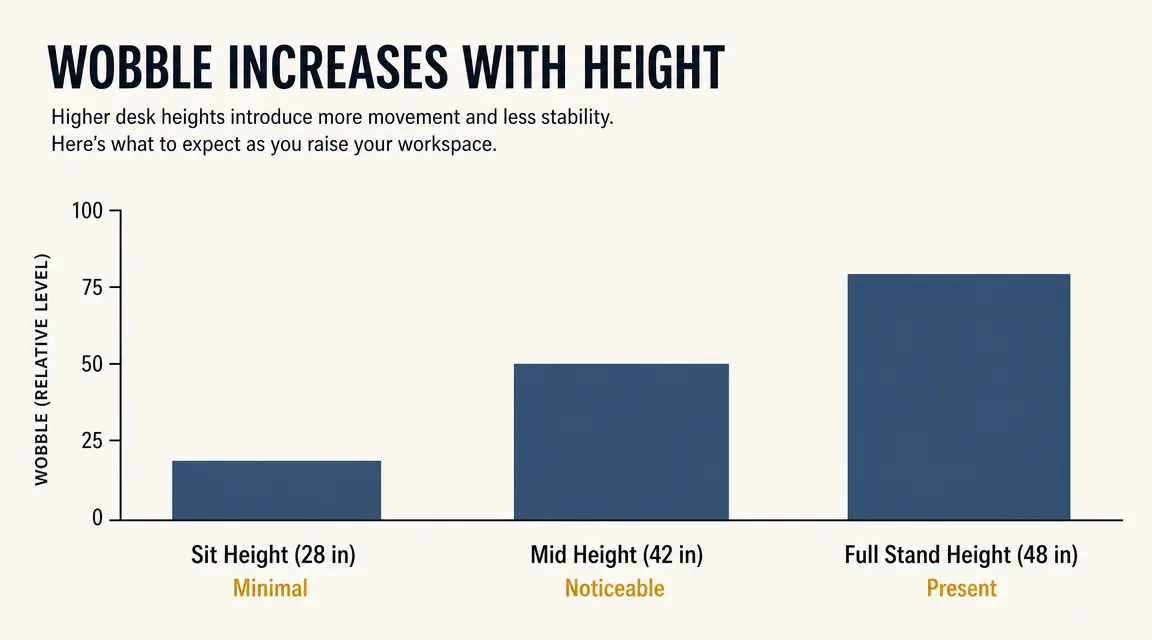
At sitting height, around 28 to 30 inches, this desk is completely stable. Push sideways, type hard, set a full coffee mug at the edge. Nothing moves. At mid-standing height, around 40 to 42 inches, there is a faint sway if you push the surface from the side with moderate force, but it does not show up during normal typing. This is the height I use most often, and I never think about it.
At full standing height, 46 to 48 inches, the wobble is present and noticeable. I have my monitor arm clamped to the back edge and at that height, if I type with any real speed, the screen shakes slightly. Not enough to make the text unreadable, but enough to be irritating once you notice it. The fix I landed on was to store one preset at 44 inches rather than going all the way to 48. That extra two inches of clearance made the wobble almost disappear. If you are under five-foot-eight, you may never need to go that high and this will not bother you at all.
The wobble is not a deal-breaker. It is a fact you should know before you decide. At 44 inches it is almost gone. At 48 it is present.
The Drawers: More Useful Than They Look, Less Refined Than You Expect
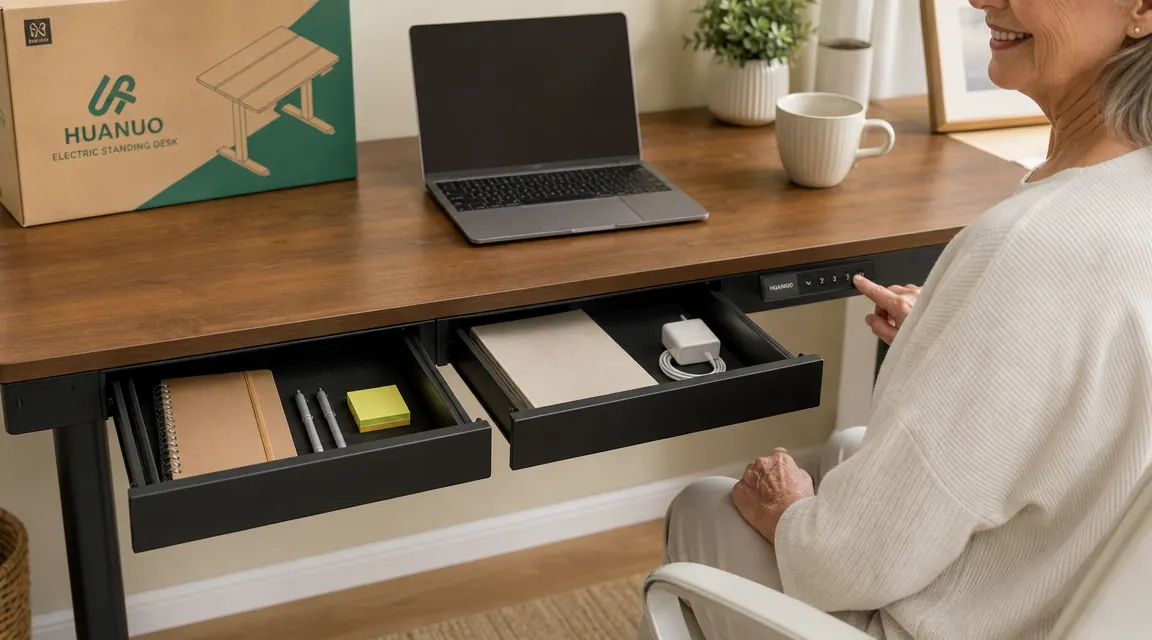
Nobody mentions the drawers in any detail and they are half the reason I chose this desk over the FlexiSpot E7, which is the other desk in this price tier that comes up constantly in comparison threads. The HUANUO has two drawers: one shallow, one a bit deeper. They are on the right side of the desk, built into the frame. They do not move with the desk height, which is the first thing that surprised me. The drawer frame stays fixed to the floor column. The tabletop moves up and down independently. This means your drawers are always accessible regardless of desk height, which is genuinely useful.
The feel of the drawers themselves is plastic-forward. The slides are smooth enough, but when you close them they make a hollow clunk rather than the soft thud of a wood furniture drawer. If you have used cheap office furniture from a big-box store, you know exactly what I mean. It does not affect function, but it affects the sensory experience of your workspace, and for some people that matters. For me it matters a little. I put a small silicone bumper inside each drawer at the back edge and that helped.
Capacity is good. I keep a large sketchbook, a set of colored markers, two notebooks, a charging cable coil, and a small power brick in the two drawers combined and there is still room. The shallow drawer fits pens, scissors, sticky notes, and a phone charger without having to stack anything. If you have been using a separate rolling pedestal or a hanging drawer organizer to hold your desk supplies, the built-in drawers will let you eliminate that entirely.
Motor Noise and the Control Panel
The motor is quiet enough. In a room with ambient noise, a podcast playing, or a fan running, you will not hear it over whatever is happening. In a completely silent room at six in the morning, it sounds like a small appliance running, a low whirring that lasts about four seconds per adjustment. I work in a quiet house and I find it perfectly acceptable. My neighbor who works in open-plan coworking spaces came to visit and said she could not believe how quiet it was compared to the desks they have there.
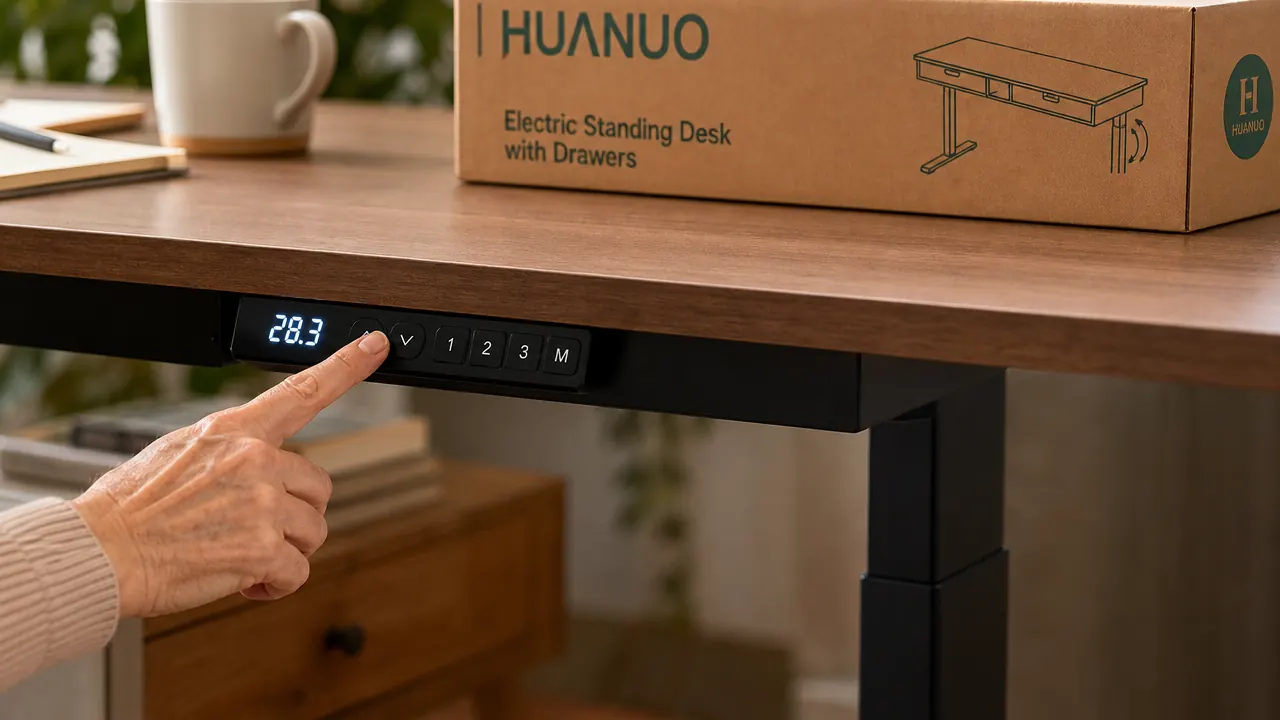
The control panel is a small digital display mounted on a column at the left front edge of the desk. It shows your current height in inches, and you can save up to four preset heights. The buttons have a light click to them. Nothing premium, but nothing frustrating. My one real complaint about the panel is that the display is barely readable in strong direct sunlight. My room gets afternoon sun from a west-facing window and for about an hour each day the readout washes out. I moved a small binder clip over it as a shade during that window. An inelegant solution, but it works.
One thing reviewers do not mention: there is a small anti-collision feature that stops the desk if it detects resistance while moving up. I discovered this when I had left a tall lamp too close to the desk edge. The desk stopped about two inches before it would have knocked the lamp sideways. That is a nice safety feature, especially if you share your workspace with a child or a pet who might wander underneath.
Surface Quality and the 48 x 24 Footprint
The desktop surface is a medium-density particleboard with a laminate finish. Mine is in the walnut color, which photographs as a rich brown but reads more like a warm medium oak in real life. It is not unpleasant, and it fits the warm tones of my room reasonably well. The finish resists pen marks if you are not pressing hard. I put a small felt pad under my drawing tablet and the tablet slides smoothly when I need to reposition it.
The 48 x 24 inch footprint is smaller than it sounds if you are used to a larger desk. I came from a 60-inch farmhouse table, so the transition required some deliberate editing of what lives on the surface. What I kept: my 27-inch monitor on a clamp arm, a small wireless keyboard, a drawing tablet, a ceramic mug, and my sketchbook. That fills the surface comfortably without crowding. If you need two monitors side by side without a stand, 48 inches will feel tight. With a dual monitor arm that stacks or pivots, it works.
What I Liked
- Genuinely quiet motor, acceptable in a home with ambient noise
- Built-in drawers that move independently of the desktop give you accessible storage at every height
- Anti-collision safety stop works reliably
- Four preset heights hold through power interruptions
- Walnut finish is warmer and more attractive than most competing desks at this price
Where It Falls Short
- Wobble at full standing height (46 to 48 inches) is noticeable with a monitor arm clamped to the back edge
- Drawer slides feel plasticky and close with a hollow clunk rather than a soft stop
- Display panel washes out in direct afternoon sunlight
- Assembly takes longer solo than the box suggests
- 48 x 24 surface feels smaller in real life than it does on the spec sheet if you are coming from a larger desk
What Nobody Tells You: The C-Clamp Mount Compatibility Detail
The product listing says the desk is C-clamp mount compatible, which I assumed meant any standard monitor arm would clamp onto the desk edge without issue. That is mostly true, but the desk edge has a small decorative lip on the underside that can interfere with wide-jaw C-clamps. My monitor arm, a VIVO dual-arm I had from my previous setup, has a jaw that opens to about 3.5 inches. The desk edge plus lip is about 3 inches total. It fit, but with almost no margin. If you are buying a new monitor arm to go with this desk, check that the jaw opens to at least 3.5 inches and ideally 4. Grommet-mount arms bypass this entirely and work perfectly.
The second thing nobody tells you is that the weight rating on the drawers is lower than you expect. The listing does not specify it clearly, and I could not find it in the manual either. Through experimentation I would say each drawer handles about 10 to 12 pounds comfortably before the slide starts to feel strained. That is plenty for office supplies, cables, and notebooks. It is not enough for a full ream of printer paper, a laptop, and a power strip all in one drawer. Do not try to store heavy items in these drawers.

Who This Is For
This desk is a strong fit if you are setting up a first real home office after years of a kitchen table or a cheap folding desk, you want sit-stand functionality without spending premium money, and you need somewhere to put your desk supplies without buying a separate pedestal or shelving unit. The price, the storage, and the quiet motor make a compelling combination at this level. People who work between 28 and 44 inches of desk height, which covers the vast majority of users, will find the stability completely acceptable.
Who Should Skip It
If you are over six feet tall and need to stand at a true 46 to 48 inch height for proper ergonomics, the wobble may genuinely bother you over time. If you need premium drawer feel and quiet soft-close slides because the tactile quality of your workspace affects your focus, you will want to budget up to a desk with a proper wood or metal drawer system. And if your monitor arm has a wide-jaw C-clamp and the jaw does not open to at least 3.5 inches, check the specs before you order. Compatibility is close but not universal.
Your back already knows it needs this. The question is just whether the price is right.
The HUANUO electric standing desk with built-in drawers is budget-friendly and available on Amazon with free shipping. If you have been sitting in the same chair at the same height every day and wondering why your lower back hurts by three in the afternoon, this is the most affordable complete solution I have found.
Amazon Check Today's Price on Amazon →